付款。
付款。(在家觀看 = 0%,在校觀看 = 100%)
100% 在校觀看日期及時間:
自由選擇,點選以下地區觀看辦公時間及位置

課時: 12 小時
享用時期: 6 星期。進度由您控制,可快可慢。
課堂錄影導師:Franco
在校免費試睇:首 1 小時,請致電以上地點與本中心職員預約。
本課程提供在校免費重睇及導師解答服務。
(在家觀看 = 100%,在校觀看 = 0%)
100% 在家觀看日期及時間:
每天 24 小時全天候不限次數地觀看
課時: 12 小時
享用時期: 6 星期。進度由您控制,可快可慢。
課堂錄影導師:Franco
在校免費試睇:首 1 小時,請致電以上地點與本中心職員預約。
本課程提供導師解答服務。
| 本實戰課程只會由導師於堂上進行實習,以確保導師能於有限的教學時間流暢地教授眾多的理論及實習。 |
管理全球 IP Address 的 IANA (Internet Assigned Numbers Authority) 已經將所有 IPv4 Address 分配給 RIR (Regional Internet Registry,為 IANA 授權管理地區性 IP Address 的機構),而一旦 RIR 亦分配出所有的 IPv4 Address,便標誌著沒有新的 IPv4 Address 可供分配。為解決新 IP Address 不足的問題,大家便要實施 IPv6 以應付往後的需要。有見及此,本中心現開辦 “IPv6 實戰課程 (可考取 IPv6 證書)” 以讓同學及早了解 IPv6 技術,為往後做好準備。
“IPv6 實戰課程 (可考取 IPv6 證書)” 由互聯網技術專家,擁有 CCIE – Service Provider 的 Franco Tsang,配合眾多商業實用的例子親自教授。同時,課程會教授同學利用課堂所學會的 IPv6 知識,來獲取 Hurricane Electric 的 IPv6 Certification of Completion – Sage 證書。
Hurricane Electric 是互聯網服務供應商,其 IPv6 Certification Program 是一項免費的認證,目的是要認證同學能否實踐 IPv6 技術。Hurricane Electric 的 IPv6 Certificate 分為 7 級。最高級為 Sage,最低級為 Newbie。
- Newbie: You have to answer 5 basic IPv6 questions correctly.
- Explorer: You have to make a network connection to Hurricane Electric through IPv6 connectivity. ��
- Enthusiast: You have to prepare an IPv6-ready web server so that Hurricane Electric can access your web server through IPv6 connectivity.
- Administrator: You have to prepare an IPv6-ready mail server so that Hurricane Electric can send email to your IPv6-ready mail server.
- Professional: You have to prepare an IPv6-ready DNS Server with reverse lookup function.
- Guru: You have to prepare an IPv6-ready DNS Server with authoritative response.
- Sage: You have to prepare IPv6 glue for your name server.
| 課程名稱: |
IPv6 實戰課程 (可考取 IPv6 證書) - 簡稱:IPv6 Training Course |
| 課程時數: | 合共 12 小時 |
| 適合人士: | 對 IPv6 有興趣的人士 |
| 授課語言: | 以廣東話為主,輔以英語 |
| 課程筆記: | 由本中心擁有 Triple CCIE (Routing and Switching, Security and Service Provider) 導師 Franco Tsang 親自編寫英文筆記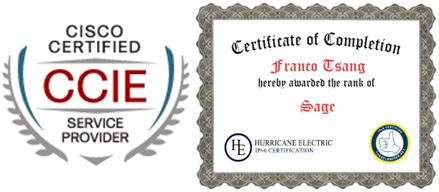 |
|
課程名稱:IPv6 實戰課程 (可考取 IPv6 證書) - 簡稱:IPv6 Training Course |
1 Today’s Network Environment (IPv4)
2 Current IPv4 depletion Information
3 Introduction of IPv6
4 IPv6 address format
4.1 IPv6 general address format and abbreviation
5 IPv6 Address type
5.1 IPv6 Unicast Address
5.1.1 Interface Identifiers (Interface ID)
5.1.2 Loopback Address
5.1.3 Global Unicast Addresses
5.1.4 Link Local IPv6 Unicast Address
5.1.5 Site-Local Unicast under RFC 3879
5.1.6 Unique Local IPv6 Unicast Addresses under RFC 4193
5.2 IPv6 Multicast Address
5.2.1 Pre-defined IPv6 Multicast Address
6 Path MTU Discovery in IPv6
7 ICMPv6
7.1 Introduction of ICMPv6
7.2 IPv6 Neighbor Solicitation and Neighbor Advertisement Message
7.2.1 Duplicate Address Detection (DAD)
7.2.2 Determine Link Layer Address
7.2.3 Lab: Study the start up process of IPv6 device without global unicast address
7.2.4 Lab: Change the Link Local Address of Router1 to FE80::1
7.2.5 Lab: Configure Global Unicast Addresses on Router1 and Router2
7.2.6 Lab: Explore ICMPv6 echo message between two IPv6 hosts
7.2.7 Lab: Explore telnet traffic between two IPv6 hosts
7.2.8 Lab: Explore SSH traffic between two IPv6 hosts
7.2.9 Lab: Explore address conflict
7.2.10 Lab: Explore IPv6 eui-64 Interface ID
7.3 IPv6 Router Solicitation and Router Advertisement Message
7.4 IPv6 Stateless Autoconfiguration
7.4.1 Lab: Explore Router Advertisement Message (Not Perfect !!)
7.4.2 Lab: Explore Router Advertisement Message (Perfect!!)
7.4.3 Lab: Adjust the IPv6 router to send Router Advertisement every 5 seconds.
7.4.4 Lab: Dual Internet Routers connection.
7.4.5 Lab: Dual Internet Routers connection with preference.
8 M and O flag in Router Advertisement Message
8.1 M flag:
8.2 O Flag:
8.3 Configure M or O flag in Cisco Router.
8.3.1 Managed-config-flag:
8.3.2 Other-config-flag
8.4 Lab: Stateless autoconfiguration – Configure Stateless DHCP Server
8.5 Lab: Stateless autoconfiguration – Client: Cisco Router
8.6 Lab: Stateless autoconfiguration – Configure Client: Windows 7
8.7 Lab: Stateless autoconfiguration – Configure Client: Linux (CentOS)
8.8 Lab: Static IPv6 address – Windows 7
8.9 Lab: Static IPv6 address – Linux (CentOS)
8.10 Lab: Explore Native Support of IPv6 in Windows XP
8.11 Lab: Configure Stateful IPv6 DHCP Server
8.12 Lab: Stateful autoconfiguration – Client: Cisco Router
8.13 Lab: Stateful autoconfiguration – Client: Windows 7
9 Building IPv6-ready Web Server by Server 2008 R2
9.1 Lab: Build IPv6-ready IIS (Web Server)
10 Building IPv6-ready DNS Server by Server 2008 R2
10.1 Lab: Build IPv4-based DNS Server
10.2 Lab: Build IPv6-based DNS Server
10.3 Lab: Build IPv4 and IPv6-mixed DNS Server
11 Building IPv6-ready Web Server by Linux (CentOS)
11.1 Build IPv6-ready Apache (Web Server)
12 Building IPv6-ready DNS Server by Linux (CentOS)
12.1 Build IPv6-ready BIND (DNS Server)
13 Building IPv6-ready Email Server by Linux (CentOS)
13.1 Lab: Build IPv6-based Email Server
14 Hurricane Electric IPv6 Certification Program
14.1 Preparation
14.1.1 Topology:
14.1.2 DNS Configuration files:
14.2 Register and utilize Hurricane Electric IPv6 Tunnel Broker
14.3 Level Newbie
14.4 Level Explorer
14.5 Level Enthusiast
14.6 Level Administrator
14.7 Level Professional
14.8 Level Guru
14.9 Level Sage
14.10 Obtain the Hurricane Electric IPv6 Sage Certificate
15 IPv6 Transition Technologies
15.1 Dual Stack
15.2 Tunnels
15.3 Types of Tunnels – Manual and Dynamic
15.3.1 Lab: Configure Static 6-to-4 Tunnel
16 Appendix – Linux Installation
17 Appendix – Using gedit to modify the file in Linux
18 Appendix – Using “Terminal” in Linux
一些課程內的示範:
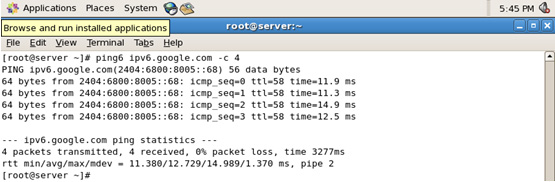
建立 Tunnel 連線到 IPv6 網路,並使用 ping6 測試 IPv6 網路連線
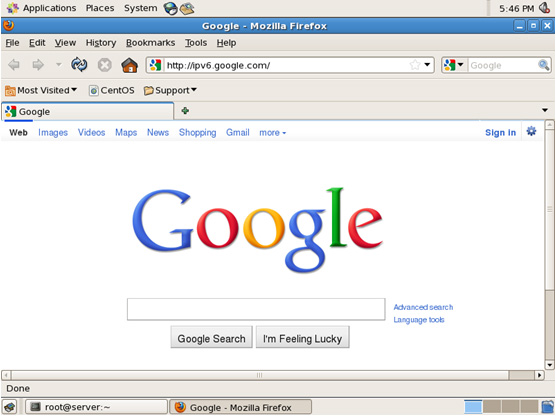
連結 IPv6 網站
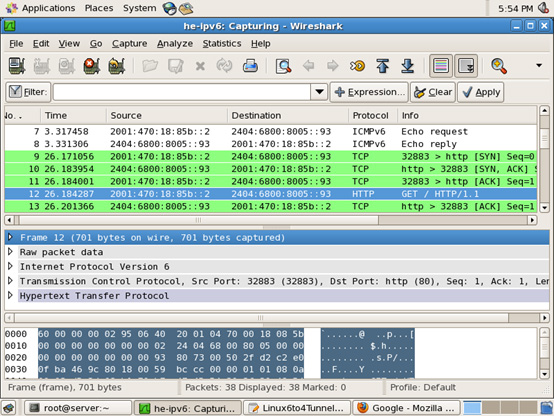
深入了解 IPv6 結構
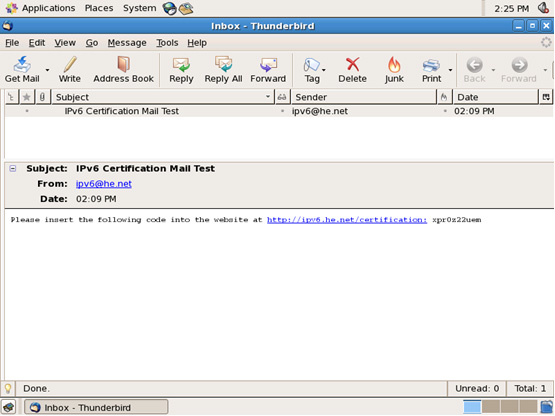
建立 IPv6 電郵伺服器,並測試收取電郵
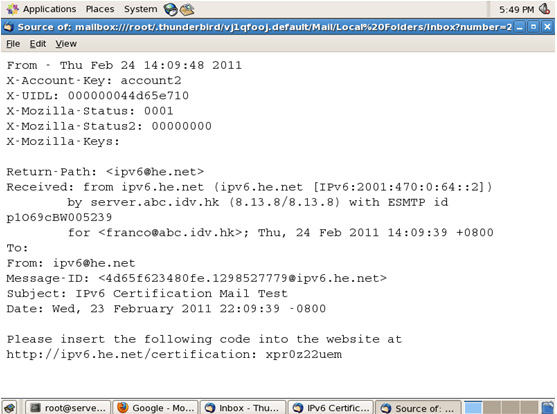
深入了解 IPv6 電郵結構
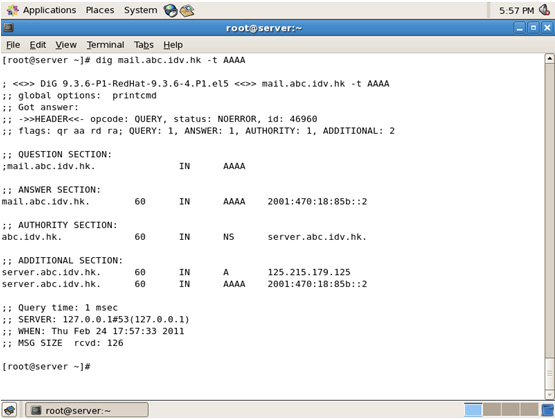
建立 IPv6 DNS Server,並以 dig 作測試