特價全科證書
Office 辦公室應用

這個頁面上的內容需要較新版本的 Adobe Flash Player。

取得 Adobe Flash Player


想定期知道最新課程及優惠嗎?
免費訂閱本中心的課程通訊!
觀看課程通訊
Reasonable Spread:
Permission email marketing

CCNP Security 國際認可證書課程

  • 課程時間
  • 課程簡介
  • 課程特點
  • 考試須知
  • 課程器材
  • 課程內容

推介服務:課堂錄影隨時睇
編號 地點 可預約星期及時間 學費低至 8 折  
FB1206MV 旺角 一至五:10:30 - 22:30   六及日:10:30 - 21:30
公眾假期:11:00 - 19:00
$9,980 9 折後只需 $8,982 按此報名
FB1206OV 觀塘 一至日:12:30 - 22:00 (星期三及公眾假期休息) $9,980 8 折後只需 $7,984 按此報名
FB1206PV 北角 一至日:12:30 - 22:00 (星期三及公眾假期休息) $9,980 8 折後只需 $7,984 按此報名
FB1206SV 沙田 一至日:12:30 - 22:00 (星期三及公眾假期休息) $9,980 8 折後只需 $7,984 按此報名
FB1206YV 元朗 一至日:12:30 - 22:00 (星期三及公眾假期休息) $9,980 8 折後只需 $7,984 按此報名
FB1206VV 溫哥華 按此顯示溫哥華每天辦公時間
Mon09:30 - 19:00
Tue14:00 - 21:00
Wed休息
Thu09:30 - 19:00
Fri14:00 - 21:00
Sat10:30 - 19:00
Sun10:30 - 19:00
公眾假期休息
CD$1,248 8 折後只需 CD$998 按此報名

免費試睇: 首 3 小時,請致電與本中心職員預約。 查看各地點電話
旺角 2332-6544
觀塘 3563-8425
北角 3580-1893
沙田 2151-9360
元朗 3523-1560
溫哥華 604-2845638
免費重睇: 學員可於享用時期內於報讀地點不限次數地重看課堂錄影,從而可反覆重溫整個課程!
導師解答: 學員可於觀看某一課堂錄影後提出相關的問題,課程導師會樂意為學員以單對單的形式解答!
合格保障: 半費重考,請務必向本中心購買考試券。
課時: 162 小時
享用時期: 報讀日至 28 星期內,進度由您控制,可快可慢。
課堂錄影導師: Franco
課堂錄影隨時睇: 詳情及示範片段


合格保障:學員若考試不合格,本中心均會代付考試費,令學員可免費重考!詳情...


Cisco Systems Inc. 是全球最大的網路設備生產商,在世界各地設有 120 個以上的分支據點。Cisco 的產品包括 Switch (交換器)、LAN Router (區域網路由器)、WAN Router (廣域網路由器)、IOS (Internetwork Operating System) 網路管理操作系統、ASA (Adaptive Security Appliances)、IPS (Intrusion Prevention System) 等。全球的大企業、銀行、大學和政府機構之網路設備,無一不採用 Cisco 的產品,管理 Cisco 網路設備便成為一門專業的學問。

為了能證明你有專業水準來安裝、設定及管理 Cisco 的網路安全產品,Cisco 便推出其 CCNP Security (Cisco Certified Network Professional - Security,Cisco 認可網路安全專業人仕) 國際認可考試。要考取 CCNP Security 國際認可證書,必須通過以下 4 科的考試及持有有效的 CCNA Security 證書:

  • CCNP Security: SECURE (Securing Networks with Cisco Routers and Switches) - 642-637
  • CCNP Security: FIREWALL (Deploying Cisco ASA Firewall Solutions) - 642-617
  • CCNP Security: VPN (Deploying Cisco ASA VPN Solutions) - 642-647
  • CCNP Security: IPS (Implementing Cisco Intrusion Prevention System) - 642-627

此外,為了能證明你有專業水準來安裝、設定及管理 Cisco的 IOS 安全產品,Cisco 便推出其Cisco IOS Security Specialist (Cisco 認可IOS安全專業人仕) 國際認可考試。要考取 Cisco IOS Security Specialist 國際認可證書,只須通過以下的考試及持有有效的 CCNA Security 證書:

  • CCNP Security: SECURE (Securing Networks with Cisco Routers and Switches) - 642-637

此外,為了能證明你有專業水準來安裝、設定及管理Cisco的防火牆產品 (IOS Firewall and ASA),Cisco 便推出其 Cisco FIREWALL Security Specialist (Cisco 認可防火牆專業人仕) 國際認可考試。要考取 Cisco FIREWALL Security Specialist 國際認可證書,只須通過以下 2 科的考試及持有有效的 CCNA Security 證書:

  • CCNP Security: SECURE (Securing Networks with Cisco Routers and Switches) - 642-637
  • CCNP Security: FIREWALL (Deploying Cisco ASA Firewall Solutions) - 642-617

此外,為了能證明你有專業水準來安裝、設定及管理 Cisco的 VPN 安全產品,Cisco 便推出其 Cisco VPN Security Specialist (Cisco 認可VPN安全專業人仕) 國際認可考試。要考取 Cisco VPN Security Specialist 國際認可證書,只須通過以下的考試及持有有效的 CCNA Security 證書:

  • CCNP Security: SECURE (Securing Networks with Cisco Routers and Switches) - 642-637
  • CCNP Security: VPN (Deploying Cisco ASA VPN Solutions) - 642-647

此外,為了能證明你有專業水準來安裝、設定及管理 Cisco 的 ASA 產品,Cisco 便推出其 Cisco ASA Specialist (Cisco Adaptive Security Appliances Specialist,Cisco 認可 ASA 專業人仕) 國際認可考試。要考取 Cisco ASA Specialist 國際認可證書,只須通過以下 2 科的考試及持有有效的 CCNA Security 證書:

  • CCNP Security: FIREWALL (Deploying Cisco ASA Firewall Solutions) - 642-617
  • CCNP Security: VPN (Deploying Cisco ASA VPN Solutions) - 642-647

此外,為了能證明你有專業水準來安裝、設定及管理 Cisco 的 IPS 產品,Cisco 便推出其 Cisco IPS Specialist (Cisco Intrusion Prevention System Specialist,Cisco 認可 IPS 專業人仕) 國際認可考試。要考取 Cisco IPS Specialist 國際認可證書,只須通過以下的考試及持有有效的 CCNA Security 證書:

  • CCNP Security: IPS (Implementing Cisco Intrusion Prevention System) - 642-627

總括而言,持有有效的 CCNA Security 證書及修畢本課程後,學員便可考取下列 6 張國際認可證書:

CCNP Security 能大大提升你的安裝、管理及解救網路安全產品的水平,並能令你處理大型網路安全環境,而下列為 CCNP Security 能給你的部份好處:

  1. 令你將只有 MCSE、CCNA 證書的對手比下去,令你更易求職、升職或競爭到生意。
  2. 令你於跨國企業、電訊機構或互聯網供應商的電腦部門成為高級資訊安全技術顧問。
  3. 令你於中、小企業的電腦部門成為管理階層,由你來規劃網路,然後指派只有 MCSE、CCNA 證書的下屬來實踐你的規劃。
  4. 絕對能滿足你對網路安全技術的求知慾,因會有很多你一知半解或甚至從未聽過的知識給你學懂,大大增長你的網路安全技術知識。
  5. 只要透徹理解了CCNP Security 的知識及充份掌握了 CCNP Security 的實習,日後要考取全電腦界公認為最頂級的證書 CCIE : Security (Cisco Certified Internetwork Expert : Security),便只是一步之差!

本中心的 CCNP Security 國際認可證書課程由 Franco Tsang (擁有 CCIE : Security, CCIE : Service Provider 及 CCIE : Routing and Switching 三項 CCIE 證書) 籌備多時,精心編排。由上堂、溫習、實習、考試研習、做試題至最後考試,均為你度身訂造,作出有系統的編排。務求真正教識你,又令你考試及格。


課程時數: 合共 162 小時
課堂 84 小時 (共 28 堂) 及實習時段 78 小時 (共 26 節)
適合人仕: 具備 CCNA Security 知識的人士
授課語言: 以廣東話為主,輔以英語
課程筆記: 本中心導師親自編寫英中對照筆記

1. Franco Tsang (CCIE #19772) 親自教授: Franco 善於控制學習節奏,深入淺出,令學員在輕鬆氣氛下,掌握電腦技巧。
2. Franco Tsang親自編寫筆記: Franco 親自編寫英中對照筆記,絕對適合考試及實際管理網路之用,令你無須「死鋤」如字典般厚及不適合香港讀書格調的書本。
3. 提供模擬考試題目: 本中心為學員提供充足的模擬考試題目,每條考試題目均附有標準答案。而較難理解的題目,均會附有 Franco 的解釋。
4. 理論與實習並重:

本中心的 CCNP Security 國際認可證書課程為全港時數最長,合共 162 小時,令學員真正了解及掌握課程內容。

a.

其中 84 小時課堂由導師教授理論及進行眾多的商業實習。

b.

另加 78 小時實習時段,由學員於家中透過上網來控制本中心的 ASA、IPS、ISR、Switches、Cisco ACS 和 Test PC,來親自實踐眾多的商業實習。


註: ISR 的全名為 Integrated Services Routers (集成服務路由器),意指能將下列服務集結於一身:
1. Routing
2. Security and VPN
3. Voice
4. Wireless
5. Optimization of network bandwidth and applications (意即實施 QoS,Quality of Service)
而整套器材會於78小時實習時段內由你一個人完全操控,無須與其他學員共用。如有須要,學員更可申請額外的實習時段,費用全免。

c.

此外,本中心還會安排 Router and Switch Simulation Software (模擬軟件),來讓學員於家中隨時地進行模擬實習。 


請謹記:
充足的理論及實習時間是成功的重要因素!

5. 考試合格保障:

以 SECURE 為例,本中心 CCNP Security 學員於第一次考 SECURE 若不合格,可申請免費重考 SECURE 一次,但必須符合下列的四項要求:
1. 於 SECURE 之課堂出席率須達 85% 或以上。
2. 學員必須於本中心應考 SECURE 考試。
3. 學員於第一次應考 SECURE 考試前,必須進行本中心的 SECURE 試前測驗,並取得 90% 或以上的分數。
4. 於上課結束日之 1 個月內作出申請。 而 FIREWALL、VPN 及 IPS 均如 SECURE 般的安排。

6. 免費重讀: 學員可於自課程結束後三個月內免費重讀本課程。

CCNP Security (Cisco 認可網路安全專業人仕) 其實是由 Cisco 頒發的一項國際認可高級證書。高級證書意即你不能直接考取 CCNP Security,而必須首先考取到 Cisco 的初級證書 CCNA Security (Cisco 認可網路安全夥伴),才可考取 CCNP Security。

考試編號 科目名稱 簡稱

642-637

Securing Networks with Cisco Routers and Switches

SECURE

642-617

Deploying Cisco ASA Firewall Solutions

FIREWALL

642-647

Deploying Cisco ASA VPN Solutions

VPN

642-627

Implementing Cisco Intrusion Prevention System

IPS


本中心為 Cisco 指定的 CCNP Security 國際認可考試試場,報考時請致電本中心,登記欲報考之科目考試編號、考試日期及時間 (最快可即日報考)。

臨考試前要繳付每科考試費 HK$1,565,及必須出示下列兩項有效之身份證明文件,否則考生不可進行考試,而已繳付之考試費亦不會退回:
1. 香港身份證 及
2. 附有考生姓名及簽名的證件 (如信用咭、香港特區護照、BNO等)

考試題目由澳洲考試中心傳送到你要應考的電腦,考試時以電腦作答。所有考試題目均為英文,而大多數的考試題目為單項選擇題 (意即 O) 或多項選擇題 (意即 口),其餘則為配對題及實戰題。作答完成後會立即出現你的分數,結果即考即知!考試不合格便可重新報考,不限次數。欲知道作答時間、題目總數、合格分數等詳細考試資料,可瀏覽本中心網頁 "各科考試分數資料"。


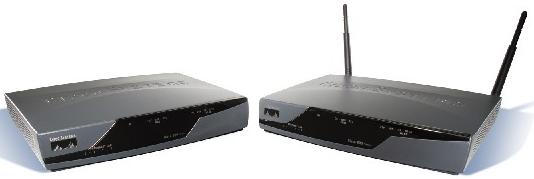
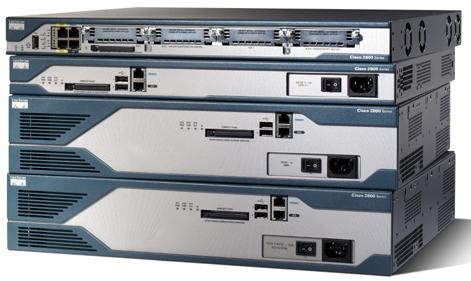
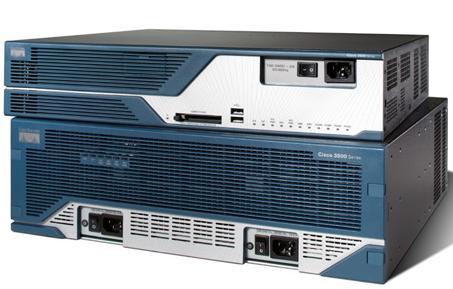
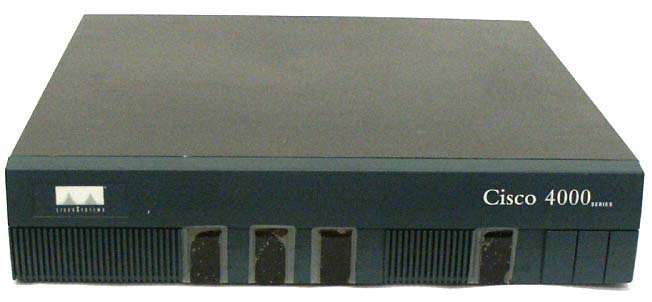
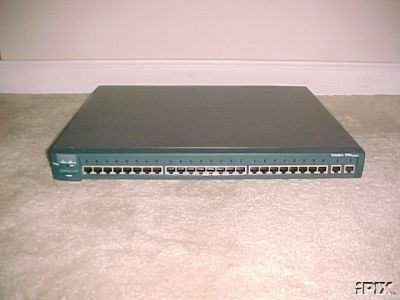
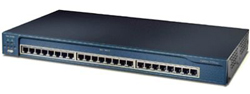
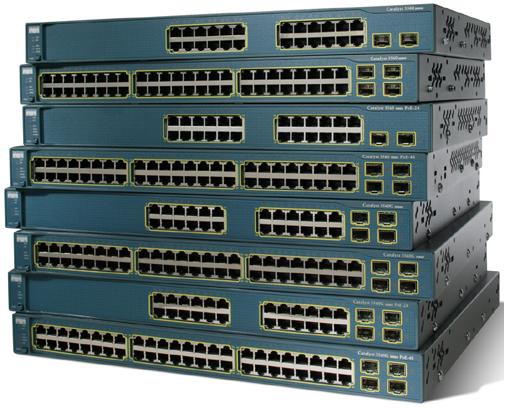
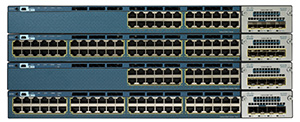
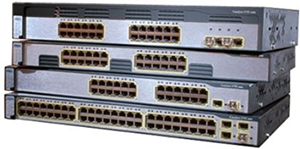
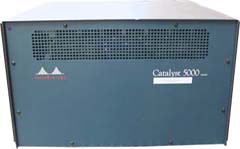
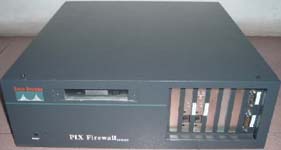
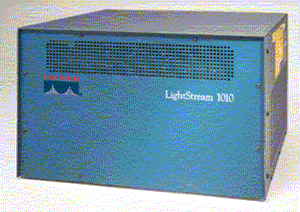
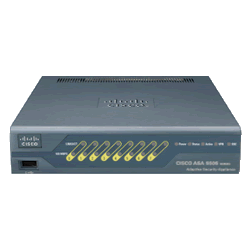
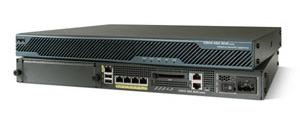
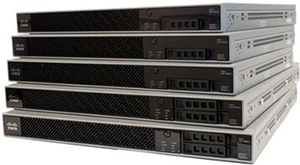
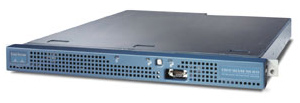
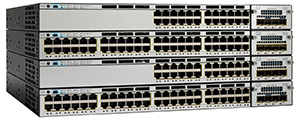
為進一步加強本中心 Cisco 的課程質素,本中心投放大量資源購買 Cisco 器材,以供學員進行實習。以下是本中心擁有的 Cisco 器材 (種類繁多,未能盡錄):


CCNP-SECURITY: Cisco Router 800 Series (ISR) CCNP-SECURITY: Cisco Router 2500 Series
Cisco Router 800 Series (ISR)
Cisco Router 2500 Series

   
CCNP-SECURITY: Cisco Router 2600 Series CCNP-SECURITY: Cisco Router 2800 Series (ISR)
Cisco Router 2600 Series Cisco Router 2800 Series (ISR)
   
CCNP-SECURITY: Cisco Router 3600 Series CCNP-SECURITY: Cisco Router 3800 Series (ISR)
Cisco Router 3600 Series Cisco Router 3800 Series (ISR)
 
CCNP-SECURITY: Cisco Router 4000 Series  CCNP-SECURITY: Cisco Catalyst Switch 1900 Series
 Cisco Router 4000 Series  Cisco Catalyst Switch 1900 Series
   
CCNP-SECURITY: Cisco Catalyst Switch 2950 Series CCNP-SECURITY: Cisco Catalyst Multilayer Switch 3550 Series
Cisco Catalyst Switch 2950 Series Cisco Catalyst Multilayer Switch 3550 Series
   
CCNP-SECURITY: Cisco Catalyst Multilayer Switch 3560 Series CCNP-SECURITY: Cisco Catalyst Multilayer Switch 5000 Series
Cisco Catalyst Multilayer Switch 3560 Series Cisco Catalyst Multilayer Switch 5000 Series
   
CCNP-SECURITY: Cisco PIX Firewall CCNP-SECURITY: Cisco LightStream 1010 ATM Switch
Cisco PIX Firewall Cisco LightStream 1010 ATM Switch
   
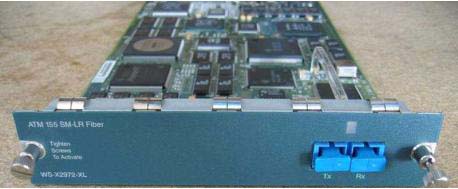
CCNP-SECURITY: Cisco ATM Module CCNP-SECURITY: Cisco FXS Voice Module
Cisco ATM Module Cisco FXS Voice Module
   
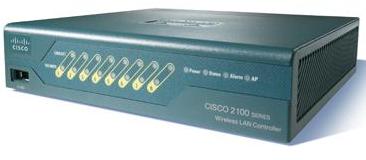
CCNP-SECURITY: Cisco IP Phone 7911G CCNP-SECURITY: Cisco Wireless LAN Controller 2106
Cisco IP Phone 7911G Cisco Wireless LAN Controller 2106
   
CCNP-SECURITY: Cisco Aironet Lightweight Access Point 1130AG CCNP-SECURITY: PSTN Simulator
Cisco Aironet Lightweight Access Point 1130AG PSTN Simulator
   
CCNP-SECURITY: ISDN Simulator CCNP-SECURITY: Cisco ASA 5505
ISDN Simulator Cisco ASA 5505
   
CCNP-SECURITY: Cisco ASA 5510 CCNP-SECURITY: Cisco IPS 4210
Cisco ASA 5510 Cisco IPS 4210


課堂由導師以講座形式教授課程理論及進行眾多的商業實習,而實習時段由學員親自進行商業實習。

SECURE:

1 Layer 2 (Ethernet) Security
1.1 Ethernet Frame Structure
1.2 Security in MAC Address Table
1.2.1 Understanding the current MAC Address Table status
1.3 Common Attacks in MAC Address Table
1.3.1 Preventing MAC Address Table Attack
1.3.2 實習: Basic Port Security
1.3.3 實習: Port Security with automatic errdisable recovery
1.4 VLAN Security
1.4.1 Basic VLAN Concept
1.4.2 Basic Trunk concept
1.4.3 DTP (Dynamic Trunking Protocol)
1.4.4 Trunking protocol
1.4.5 Tagging Attack - VLAN Hopping
1.4.6 802.1Q or ISL Tagging Attack or Information Gathering
1.4.7 Double-Encapsulated 802.1Q
1.5 DHCP Security issues
1.5.1 DHCP Process
1.5.2 Attacks Against DHCP
1.5.3 Countermeasure to DHCP Exhaustion Attack
1.5.4 實習: DHCP Snooping
1.5.5 DHCP Snooping Binding Table
1.5.6 Protecting ARP Infrastructure
1.5.7 Dynamic ARP Inspection (DAI)
1.5.8 實習: Dynamic ARP Inspection
1.5.9 IP Source Guard:
1.5.10 實習: IP Source Guard
1.6 Identity Management in Layer 2 environment
1.6.1 Basic Identity Concept - AAA
1.6.2 IEEE 802.1x
1.6.3 IEEE 802.1x architecture
1.6.4 實習: IEEE 802.1x
1.6.5 實習: Configure AAA for Telnet connection in Switch1
1.7 Security in Spanning Tree Protocol
1.7.1 Attack 1: Rouge Root Bridge
1.7.2 Attack 2: Rouge BPDU Message
1.7.3 Attack 3: BPDU DoS (Denial of Service)
1.8 HSRP Security
1.8.1 實習: Basic HSRP
1.8.2 實習: HSRP MD5 Authentication
1.9 VRRP Security:
1.9.1 實習: Basic VRRP:
1.9.2 實習: VRRP MD5 Authentication

2 IOS Advanced CBAC
2.1 Basic overview in IOS CBAC
2.2 Advanced topics in IOS CBAC
2.2.1 實習: Advanced CBAC

3 IOS Zone Based Firewall (ZFW)
3.1 Introduction of IOS Zone Based Firewall
3.2 Cisco Policy Language (CPL) Configuration
3.2.1 Define zones
3.2.2 Define zone-pairs
3.2.3 Define class-maps
3.2.4 Define policy-maps
3.2.5 實習: Basic ZFW Configuration
3.2.6 實習: Advanced ZFW Configuration

4 Authentication Proxy
4.1 Introduction of Authentication Proxy
4.2 Authentication Proxy Process
4.3 Configuration Procedure
4.4 實習: Authentication Proxy

5 IOS IPS
5.1 Introduction of IOS IPS
5.2 Configuration Procedure
5.3 實習: IOS IPS

6 IPSec (IP Security) VPN
6.1 Introduction to IPSec
6.2 IPSec Standard
6.3 Types of IPSec VPNs
6.3.1 Site-to-Site VPN
6.3.2 Tunnel Building Process for Site-to-Site IPSec VPN
6.3.3 Remote-Access VPN
6.3.4 Tunnel Building Process for Remote-Access IPSec VPN
6.4 Details concepts understanding of IKE Phase 1
6.4.1 Management Connection
6.4.2 Diffie-Hellman
6.4.3 Peer Authentication
6.4.4 Configuring IKE Phase1
6.4.5 實習: Configure IKE Policy
6.4.6 Configure IKE peer authentication
6.4.7 實習: Configure IKE Pre-Shared Key
6.4.8 實習: Configure IKE RSA Encryption Nounce
6.4.9 IOS Certificate Authority
6.4.10 實習: Configure IOS CA
6.4.11 實習: Configure Router1 to obtain certificate from IOS CA
6.4.12 Details concepts understanding of IKE Phase 2
6.4.13 Crypto Access List
6.4.14 Transform Set
6.4.15 Crypto Map
6.5 Site-to-Site (L2L) VPN
6.5.1 實習 : Site-to-Site (L2L) VPN
6.5.2 CACCTP (Crypto Access Check on Clear-Text Packet)
6.5.3 實習: CACCTP
6.5.4 實習: Site-to-Site (L2L) VPN with dynamic crypto map
6.5.5 Advanced Application of Dynamic Crypto Map – TED
6.5.6 實習: TED (Tunnel Endpoint Discovery)
6.5.7 IPSec in GRE Tunnel overview
6.5.8 實習: Basic GRE Tunnel
6.5.9 IPSec in GRE
6.5.10 實習: IPSec in GRE
6.5.11 VTI (Virtual Tunnel Interface)
6.5.12 實習: Site-to-Site IPSec VPN with VTI
6.5.13 More examples in Site-to-Site VPN
6.5.14 實習: Cert-Based IPSec Site-to-Site VPN
6.6 DMVPN (Dynamic Multipoint VPN)
6.6.1 Introduction to DMVPN
6.6.2 Technical Overview of DMVPN
6.6.3 實習: DMVPN (RIPv2 as routing protocol)
6.6.4 實習: DMVPN (OSPFv2 as routing protocol)
6.6.5 實習: DMVPN (EIGRP as routing protocol)
6.6.6 Redundancy design in DMVPN
6.6.7 實習: Dual-Hub DMVPN
6.7 GET (Group Encrypted Transport) VPN
6.7.1 GDOI (Group Domain of Interpretation)
6.7.2 Tunnel Header Preservation
6.7.3 Components in GET VPN
6.7.4 Group SA
6.7.5 Rekey Process
6.7.6 Basic Mutlicast Concepts
6.7.7 實習: Basic Multicast Concepts
6.7.8 Basic Multicast Routing Concepts
6.7.9 實習: Basic PIM-SM
6.7.10 Group Encrypted Transport (GET) VPN Configuration Procedures.
6.7.11 實習: GET VPN
6.7.12 More about rekey concepts
6.7.13 實習: Experiencing Re-Key Process.

7 Troubleshooting IPSec VPN Connection
7.1 IKE Phase 1 Troubleshooting
7.2 IKE Phase 2 Troubleshooting
7.3 Fragmentation Problems in IPSec VPN

8 Miscellaneous Topic: Flexible Packet Matching (FPM)
8.1 Background of today’s filtering challenges
8.2 FPM Configuration Procedures.
8.3 Protocol Header Description File (PHDF)
8.4 Example in FPM: Configuring FPM for MyDoom Packets
8.5 實習: FPM

9 Miscellenous Topic: Appliance Trust

10 Miscellaneous Topic: Private VLAN
10.1 Protected Switchport
10.1.1 實習: Protected Switchport
10.2 Private VLAN
10.2.1 實習: Private VLAN

11 Miscellaneous Topic: SNMPv3
11.1 實習: Basic SNMP
11.2 SNMPv3
11.2.1 實習: SNMPv3

12 Control Plane Security
12.1 實習: Input Control Plane Security
12.2 實習: Output Control Plane Security

13 Regular Expression
13.1 Regular Expression
13.1.1 實習: Filtering web traffic to franco.com
13.1.2 實習: Filtering BGP Routes by using regular expression.

14 Miscellaneous Topic: Policy-based Routing and NAT
14.1 Policy-based Routing
14.1.1 實習: Policy-based routing
14.2 Policy-based NAT
14.2.1 Basic NAT Review
14.2.2 實習: Basic NAT
14.2.3 Introduction of Policy-based NAT
14.2.4 實習: Policy-based NAT

15 Miscellaneous Topic: Transparent Zone Base Firewall
15.1 The problem we face
15.2 General but not allowed solution.
15.3 A brainstorm solution
15.4 Concept of Bridging
15.4.1 Introduction of Bridging
15.4.2 Operation in Basic Bridging
15.4.3 IRB Bridging
15.4.4 實習:Configure IRB Bridging
15.5 Zone Base Firewall under IRB bridging
15.5.1 實習: Transparent Zone Base Firewall

16 Miscellaneous Topic: Details of input traffic

17 Miscellaneous Topic: Details of output traffic


FIREWALL:

1 Introduction of ASA
1.1 Configuration File Management

2 Configure ASA Interfaces
2.1 Security Level Overview
2.2 實習: Configure hostname and “inside” interface with static IP address 10.0.0.15/8.
2.3 實習: Configure “outside” interface with DHCP client feature.
2.4 實習: Configure IPv6 on the ASA.
2.5 實習: Configure “outside” interface with PPPoE client feature.
2.6 DHCP Server
2.7 實習: Configure DHCP Server
2.8 實習: Study the meaning of security-level

3 ASA Management Access Configuration
3.1 Enable Password
3.2 實習: Configure Enable password
3.3 Telnet Access
3.4 實習: Configure telnet access in ASA - part 1
3.5 實習: Configure telnet access in ASA - part 2
3.6 SSH (Secure Shell) Access
3.7 實習: Configure SSH Access in ASA
3.8 ASDM (Adaptive Security Device Manager)
3.9 實習: Configure ASDM

4 System Monitoring in ASA
4.1 實習: Configure NTP Client with authentication in ASA
4.2 System Message Severity Levels
4.3 實習: Enable and Configure General Properties of System Logging
4.4 實習: Enable Console Logging
4.5 Terminal Logging:
4.6 實習: Termial Logging
4.7 實習: Configure Syslog
4.8 實習: Configure SNMP Trap
4.9 實習: Configure SNMP GET
4.10 實習: ASDM Logging
4.11 實習: Buffer Logging
4.12 實習: Buffer Logging – Manual Flash Logging
4.13 實習: Buffer Logging – Automatic Flash Logging
4.14 實習: Buffer Logging – Automatic save log to FTP
4.15 Advanced ASA Logging

5 IP and IP Multicast Routing in ASA
5.1 Basic Routing Concepts
5.2 Static Routing
5.3 實習: ASA Static Routing
5.4 實習: Simple Load Balancing by Static Routes
5.5 Service Level Agreement (SLA) in ASA
5.6 實習: Static Routing with SLA
5.7 RIP
5.8 實習: RIPv1 in ASA
5.9 實習: RIPv2 in ASA
5.10 實習: default gateway advertisement by RIP in ASA
5.11 實習: RIPv1 and RIPv2 coexist in ASA
5.12 實習: RIP plain text authentication in ASA
5.13 實習: RIP MD5 authentication in ASA
5.14 OSPF (Open Shortest Path First)
5.15 實習: Single Area OSPF
5.16 實習: Multi-Area OSPF
5.17 實習: Advertise default gateway via OSPF in ASA
5.18 Special OSPF Network Type in ASA
5.19 實習:OSPF Point-to-Point Non-Broadcast network type in ASA
5.20 Virtual Link
5.21 實習: Virtual Link in ASA
5.22 OSPF Authentication
5.23 實習: OSPF Plain Text authentication.
5.24 實習: OSPF MD5 authentication.
5.25 EIGRP
5.26 實習: Configure EIGRP in ASA
5.27 EIGRP Authentication
5.28 實習: Enable EIGRP Authentication in ASA
5.29 IP Multicast in ASA
5.30 實習: Multicast in ASA

6 Network Access Control
6.1 Access List Types
6.2 Access Control Entry Order
6.3 Extended Access List
6.4 實習: Basic Extended Access List
6.5 實習: Add an ACE to an existing Extended Access List
6.6 Standard Access List
6.7 實習: Basic Redistribution between OSPF and EIGRP in ASA
6.8 實習: Using Standard Access List to perform route filtering in ASA
6.9 IPv6 Access List
6.10 實習: Configure IPv6 Access List
6.11 Advanced Access Control List Topics
6.12 Object Grouping
6.12.1 Object Grouping: Protocol
6.12.2 Object Grouping: Network
6.12.3 Object Grouping: Service
6.12.4 Object Grouping: ICMP Type
6.13 實習: ACL with object grouping
6.14 Time-based ACL
6.15 實習: Time-Base ACL
6.16 ICMP Filtering
6.17 實習: Configure ICMP Access in ASA
6.18 Application Layer Filtering
6.18.1 Content Filtering
6.19 實習: Filter Java in ASA
6.20 URL Filtering

7 Packet Monitoring in ASA
7.1 實習: Capture all traffic in the outside interface.
7.2 實習: Monitor the connection by “show conn”.
7.3 實習: Trace a packet by “packet-tracer”

8 NAT (Network Address Translation)
8.1 Basic NAT Concepts
8.1.1 Dynamic NAT Concept
8.2 Dynamic NAT with overload Concept
8.3 Static NAT Concept
8.4 實習: Configure Static NAT
8.5 實習: Static NAT with PAT
8.6 實習: Dynamic NAT with overload.
8.7 實習: Dynamic NAT with public ip pool
8.8 實習: Dynamic NAT with public ip pool with interface ip address for last resort
8.9 Advance NAT Topics – Twice NAT
8.10 實習: Twice NAT 1
8.11 實習: Twice NAT 2
8.12 實習: Twice NAT 3
8.13 DNS and NAT.
8.14 實習: NAT with DNS 1
8.15 實習: NAT with DNS 2

9 AAA (Authentication, Authorization, Accounting)
9.1 AAA Components
9.2 AAA Protocols
9.3 實習: Local AAA for telnet authentication
9.4 實習: Local AAA for SSH authentication
9.5 實習: Local AAA for ASDM authentication
9.6 實習: Local AAA for Console authentication
9.7 實習: Local AAA for Enable authentication
9.8 實習: AAA authentication for telnet authentication by using Cisco ACS
9.9 實習: AAA authentication for SSH authentication by using Cisco ACS
9.10 實習: AAA authentication for ASDM authentication by using Cisco ACS
9.11 Advanced AAA Topics – Cut Through Proxy
9.12 實習: Cut-Through Proxy

10 Modular Policy Framework
10.1 Features provided by Modular Policy Framework
10.2 Default Modular Policy Framework
10.3 Default Inspection: DNS
10.4 Default Inspection: FTP
10.5 Default Inspection: ESMTP and SMTP
10.6 Default Inspection:TFTP
10.7 Default Inspection: H.323
10.8 實習: Layer 3 / 4 Inspection
10.9 Inspection Policy-Map
10.10 HTTP Deep Inspection
10.11 實習: HTTP Inspection – Blocking specific request method.
10.12 實習: HTTP Inspection – Block specific URL
10.13 實習: HTTP Inspection – Block specific browser.
10.14 實習: HTTP Inspection – Block specific Content Type
10.15 實習: HTTP Inspection – Block specific Content
10.16 實習: FTP Deep Inspection – Block FTP commands

11 Transparent Firewall
11.1 Routed Mode
11.2 Transparent Mode
11.3 實習: Configure Transparent Firewall
11.4 Ethertype Access List
11.5 Demonstration: EtherType Access List

12 High End ASA Initialization
12.1 Demonstration: Initialize High End ASA
12.2 Management Interface
12.3 Demonstration: Management Interface
12.4 Subinterface (Trunking) in ASA
12.5 Demonstration: ASA Subinterface

13 Multiple Contexts
13.1 Basic Concept of Multiple Context
13.2 Moment to use Multiple Context
13.3 Limitation of Multiple Contexts.
13.4 Configuration Logic in Multiple Contexts
13.5 Admin Context
13.6 Classifier
13.7 Demonstration: Change from Single mode to Multiple Mode.
13.8 Demonstration: Configure interfaces, create contexts and assign interfaces to contexts
13.9 Demonstration: Configure admin context
13.10 Demonstration: Configure custom context franco1
13.11 Demonstration: Configure custom context franco2

14 Failover
14.1 Introduction of Failover
14.2 Hardware Requirements
14.3 Software Requirements
14.4 Failover Link
14.5 Failover Behaviour
14.6 Demonstration: Active / Standby Failover
14.7 Active / Active Failover
14.8 Demonstration: Active / Active Failover

15 Appendix – HTTP inspection by ASDM


VPN:

1 Basic Revision of IPSec VPN
1.1 IPSec VPN Life Cycle
1.2 Configuration Logics of IPSec VPN in ASA.
1.3 實習: Configure Site-toSite IPSec VPN between ASA and IOS Router.

2 IOS EZVPN
2.1.1 EZVPN Components
2.2 Tunnel Building Process
2.3 Concept of split tunneling
2.4 Concept of RRI (Reverse Route Injection)
2.5 實習: Configure IOS EZVPN Server and EZVPN Client
2.6 實習: Additional Features in EZVPN.
2.7 EZVPN Server with DVTI
2.8 實習: EZVPN Server with DVTI

3 IOS EZVPN Remote
3.1.1 Mode of EZVPN Remote
3.2 實習: EZVPN Remote (Client Mode with manual tunnel initialization)
3.3 實習: EZVPN Remote (Client Mode with auto tunnel initialization)
3.4 實習: EZVPN Remote (Network Extension Mode with auto tunnel initialization)
3.5 實習: EZVPN Remote (Network Extension Plus Mode with auto tunnel initialization)
3.6 Authentication in EZVPN Remote
3.7 Xauth in EZVPN
3.8 實習: EZVPN Remote with Web Based Activation

4 ASA EZVPN
4.1 實習: ASA EZVPN

5 ASA EZVPN Remote
5.1 Client Mode and NEM Mode
5.2 實習: EasyVPN Remote in Client Mode
5.3 實習: EasyVPN Remote in NEM Mode.

6 Advanced IPSec VPN Topics
6.1 NAT with IPSec VPN
6.2 實習: Easy VPN with dynamic NAT environment.
6.3 Certificate-Based Authentication IPSec Site-to-Site VPN
6.4 實習: IPSec VPN by Cert-based authentication

7 IOS SSL VPN
7.1.1 Three Modes of SSL VPN
7.1.2 Login Page of SSL VPN
7.1.3 實習: Basic SSL VPN
7.1.4 實習: Basic SSL VPN by using virtual-host concept.
7.1.5 實習: Thin Client.
7.1.6 實習: Tunnel Mode

8 ASA SSL VPN
8.1 實習: SSL VPN: Modify ASDM Port
8.2 實習: SSL VPN: Clientless Mode
8.3 實習: SSL VPN: Tunnel Mode
8.4 Webtype Access-List
8.5 實習: SSL VPN: Webtype Access-List
8.6 SSL VPN with multiple groups
8.7 實習: SSL VPN with multiple groups

9 NAT in ASA before software 8.3
9.1 Demonstration: Dynamic NAT with overload
9.2 Demonstration: Static NAT
9.3 Demonstration: Static NAT (Port redirection)
9.4 Demonstration: Identity NAT
9.5 Demonstration: Policy NAT

10 Quality of Service (QoS)
10.1 QoS Support in ASA
10.2 Configuration Logics in ASA
10.3 實習: QoS Policing in ASA
10.4 實習: QoS Policing in Router2.
10.5 實習: QoS Shaping in ASA1
10.6 實習: QoS Priority Queue in ASA

11 Threat Detection
11.1 Basic Threat Detection
11.2 實習: Basic Threat Detection

12 ASDM
12.1 Lab Topolgy:
12.2 實習: ASDM: Configure Hostname
12.3 實習: ASDM: Configure interfaces
12.4 實習: Configure static default gateway.
12.5 實習: ASDM: Configure RIP
12.6 實習: ASDM: Configure OSPF
12.7 實習: ASDM: Configure EIGRP
12.8 實習: ASDM: Configure NTP
12.9 實習: Configure IP Extended Access-List
12.10 實習: Dynamic NAT (Port Address Translation)
12.11 實習: ASDM – Static NAT (Port Redirection)
12.12 實習: ASDM: Modular Policy Frameworks for HTTP Traffic
12.13 實習: ASDM – Local AAA
12.14 實習: SSL VPN
12.15 實習: ASDM - EasyVPN
12.16 實習: ASDM – IPSec Site to Site VPN

13 Advanced Topics in Multiple Contexts
13.1 Multiple Contexts on Transparent Firewall.
13.1.1 Demonstration: Multiple Contexts in Transparent Firewall
13.2 Multiple Contexts with shared interface
13.2.1 Demonstration: Configure a shared interface (e0/0.100) for multiple contexts.
13.3 Concepts of default class
13.3.1 Demonstration: Configure Resource Limit on the context.

14 Password Recovery in ASA
14.1 Demonstration: Password Recovery in ASA

15 Configuration disclosure avoidance
15.1 Demonstration: Disable Password-Recovery.

16 Active-Standby Failover with EZVPN
16.1 Demonstration: Active-Standby Failover with EZVPN

17 Appendix: ASA SSL VPN with AnyConnect VPN Client
17.1 實習: ASA SSL VPN with AnyConnect VPN Client


IPS:

1 Overview of Intrusion Prevention System
1.1 Introduction to Intrusion Detection and Prevention
1.2 Cisco Intrusion Detection Appliances Products

2 Signature and Actions
2.1 Signature Types
2.2 Signature Trigger
2.2.1 Pattern Detection
2.2.2 實習: Using Regular Expression to check email in JavaScript.
2.2.3 實習: Using Regular Expression to check telephone in JavaScript.
2.2.4 Anomaly-based Detection
2.2.5 Behavior-based Detection
2.3 Signature Actions
2.3.1 Generate Alerts / Alarm.
2.3.2 Log the activities
2.3.3 Drop the suspicious packets
2.3.4 Block future activities
2.3.5 Reset TCP connections

3 Basic Sensor Initialization
3.1.1 Display the Sensor information:
3.1.2 Display Sensor current configuration:
3.2 Erase all current configuration
3.3 Reboot the devices
3.4 Default Configuration of Sensor:
3.5 實習: Configure Hostname, IP address, Subnet mask and Default Gateway in the Sensor.
3.6 Demonstration: Configure Hostname, IP address, Subnet mask and Default Gateway in the Sensor in 6.x
3.7 實習: Access to web interface of Sensor
3.8 Demonstration: Access to web interface of Sensor 6.x
3.9 實習: Configure NTP on Sensor
3.10 Demonstration: Configure NTP on Sensor 6.x
3.11 實習: Configure Telnet Service in Sensor
3.12 Demonstration: Configure Telnet Service in Sensor 6.x
3.13 SNMP Configuration:
3.14 Demonstration: Configure SNMP in Sensor (Version 6.x)

4 Sensor Interfaces
4.1 Command and Control Interface:
4.2 Sensing Interface:
4.3 Promiscuous Mode:
4.4 實習: Configure sensing interface and interface group
4.5 Demonstration: Enable senor physical interface in IPS software 6.x
4.6 Inline Mode:
4.7 Case Study: Enable Inline interface-pair in IPS software 6.x
4.8 Demonstration: Enable Inline VLAN-Pair interfaces in IPS software 6.x
4.9 Demonstration: Enable Inline VLAN Group (Promiscuous) in IPS software 6.x

5 Virtual Sensor
5.1 Demonstration: Configure Virtual Sensor in Promiscuous interface for IPS Software 6.x
5.2 Demonstration: Configure Virtual Sensor in Inline VLAN-Pair subinterface for IPS Software 6.x
5.3 Demonstration: Configure Virtual Sensor in Inline VLAN-group subinterface for IPS Software 6.x

6 Basic Signature Tuning
6.1 實習: Enable ICMP echo reply (2000) signature.
6.2 實習: Enable ICMP echo request (2004) signature by using console commands.
6.3 Demonstration: Enable ICMP echo request (2004) and echo reply (2000) signature in IPS Software 6.x

7 SPAN (Switched Port Analyzer)
7.1 Local SPAN
7.2 實習: Local SPAN
7.3 Remote SPAN
7.4 實習: Remote SPAN with IDS (Software 4.x)
7.5 Demonstration: Remote SPAN with IDS (Software 6.x)
7.6 實習:Remote SPAN in 3560 catalyst switch

8 Event Counting and Summarization Concepts
8.1 Event Count Key
8.2 Event Summarization

9 Custom Signature
9.1 實習: Custom Signature
9.2 實習: Detail understanding the TCP Reset structure.
9.3 實習: Custom Signature with Routing scenario.
9.4 Demonstration: Configure Custom Signature for IPS Software 6.x

10 IP Logging
10.1 實習: Enable IP Logging for ICMP Host Flooding Signature.
10.2 實習: Copy the log file to FTP Server
10.3 Manual IP Logging for a Specific IP Address
10.4 實習: Manual IP Logging
10.5 Stopping Active IP Logs
10.6 實習: Stopping Active IP Logs
10.7 Demonstration: IP Logging in IPS Software 6.x
10.8 Demonstration: Stopping the Active IP Logging

11 Attack Response Controller (ARC) technologies
11.1 Attack Response Controller (ARC) for blocking
11.1.1 Type of Blocking
11.1.2 Blocking Devices
11.2 Attack Response Controller (ARC) for Rate Limiting
11.3 Demonstration: Configure Blocking by Sensor telnet connection in IPS Software 6.x
11.4 Demonstration: Configure Blocking by Sensor SSH DES connection in IPS Software 6.x
11.5 Demonstration: Configure Blocking by Sensor SSH 3DES connection in IPS Software 6.x
11.6 Demonstration: Configure Rate Limiting by Sensor in IPS Software 6.x
11.7 Demonstration: Custom Host Blocking in IPS Software 6.x
11.8 Demonstration: Custom Network Blocking in IPS Software 6.x
11.9 實習: Configure and Troubleshooting Sensor Blocking (Telnet).
11.10 實習: Configure Sensor Blocking (SSH - DES).
11.11 實習: Configure Sensor Blocking (SSH - 3DES).
11.12 實習: Configure Sensor Host Blocking Directly.
11.13 實習: Configure Sensor Network Blocking Directly.

12 Risk Rating Calculation

13 Event Processing Procedures

14 Event Variables
14.1 Software 4.x – Alarm Channel System Variables
14.2 Software 4.x –Alarm Channel Event Filters

15 Event Action Overrides
15.1 Demonstration: Event Action Overrides

16 Event Action Filters
16.1 實習: Create Event Filter in Software 4.x
16.2 Demonstration: Create Event Filter in Software 6.x

17 IP Fragment Reassembly
17.1 Demonstration: IP Fragment Reassembly in IPS Software 6.x
17.2 實習: Configure IP Fragment Reassembly

18 TCP Fragment Reassembly
18.1 實習: Configure TCP Fragment Reassembly

19 Sensor Administration
19.1 Sensor Setup.
19.2 實習: Sensor setup
19.3 Change the IDM access port
19.4 實習: Change to IDM port to 9999

20 Sensor User Management
20.1 實習: Create users with different privileges
20.2 Demonstration: Configure Service Privilege Account in IPS Software 6.x
20.3 Creating a Banner Login
20.4 Demonstration: Banner Login
20.5 Terminating (結束) CLI Sessions
20.6 Demonstration: Terminating CLI Sessions
20.7 Configure the time of the Sensor
20.8 Configuration Files Management
20.9 實習: Backup and Restore the current-configuration

21 Packet Capturing and displaying.
21.1 Demonstration: Displaying Live Packet
21.2 Demonstration: Capture Live Packet

22 Obtaining Statistics from the Sensor

23 Displaying Tech Support Information
23.1 實習: Save the Tech Support to the FTP Server as a HTML file.

24 Anomaly Detection (AD)
24.1 AD Zones
24.2 Anomaly Detection Modes
24.3 Commands used to perform AD configuration

25 Password Recovery
25.1 Demonstration: Performing Password Recovery

26 Summary of the IDM

27 Final Conclusion


更多綜合課程
  法律課程
  • 代理人的法律責任
  • 公司董事和合夥人的法律責任
  • 婚姻的法律責任
  • 遺產繼承的合法權益
  英文課程
  • 商業寫作:級別 1 2 3 4
 
• 英文文法: 起步級別 (免費)
級別 1 2 3
級別 4 5 6
深造 1 2 3
  • IPA 拼音:級別 1 2 3 4
  普通話課程
  • 基礎普通話拼音課程 (免費)
  • 進階普通話拼音課程
  • 普通話會話:級別 1 2 3
  西班牙語文課程
  • 級別 1 2 3
  中醫課程
  • 濕疹與皮膚敏感病
  • 暗瘡與色斑 | 鼻敏感與感冒
  • 脫髮與白髮 | 從五官看健康
  攝影課程
  • 攝影初級
  • 攝影中級 (風景專題)
  • 戶外實景攝影實習
  風水命理課程
  • 2012家居風水擺設 (免費)
  • 紫微斗數:級別 1 2 3
  • 子平八字:級別 1 2 3
  • 八字風水:級別 1 2 3
  • 奇門遁甲:級別 1 2 3

這個頁面上的內容需要較新版本的 Adobe Flash Player。

取得 Adobe Flash Player