課程名稱:Microsoft Certified Information Security Administrator Associate (1 科 Microsoft 365 商務雲端保安) 國際認可證書課程
- 簡稱:Information Security Administrator Training Course |
SC-401 Administering Information Security in Microsoft 365 (30 hrs)
1. Introduction to Information Potection and Data Lifecycle Management
1.1 Exploding Data
1.1.1 Regulation is increasing
1.1.2 Discovering and managing data is challenging
1.1.3 Defining an information and protection strategy
1.1.4 Protect and govern data wherever it lives
1.1.5 Unified approach to data discovery and classification
1.1.6 Balance security and productivity
1.2 Information protection and governance lifecycle
1.2.1 People
1.2.2 Process
1.2.3 Technology
1.2.4 Know your data, protect your data, prevent data loss, and govern your data
1.3 Know your data
1.3.1 Data classification concepts
1.3.2 Policies
1.3.3 Classify data directly in Office apps
1.3.4 Manual labeling on all platforms
1.3.5 Automated labeling in Office for the web and Windows
1.3.6 Automated labeling on content stored in OneDrive, SharePoint, and Exchange
1.3.7 Discover and classify Microsoft 365 content
1.3.8 Discover and classify on-premises files
1.3.9 Discover and classify cloud services and SaaS apps
2. Introduction to Security Features in Microsoft 365
2.1 Threat vectors and data breaches
2.2 The workplace and threat landscape
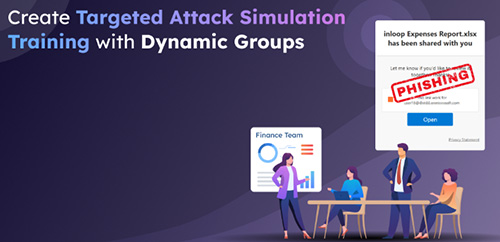
2.3 Phishing
2.4 Impersonation and Trusted Communications
2.5 Spam and malware
2.6 Account breach
2.6.1 Mitigating an account breach
2.6.2 Elevation of Privilege and Least Privilege
2.7 Data exfiltration
2.8 Data deletion and spillage
2.8.1 Preventing data deletion
2.8.2 Data Spillage and Accidental Oversharing
2.8.3 Preventing data spillage
2.9 Coin mining
2.9.1 How coin miners work
2.9.2 Examples of Coin Mining malware
2.10 Other attacks
2.10.1 Password cracking
2.10.2 Malicious insider
2.11 Security strategy and principles
2.11.1 Measuring security success
2.12 The defender's dilemma
2.13 Raise the attacker's cost
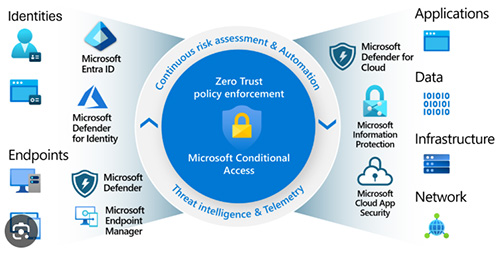
2.14 Microsoft Defender
2.14.1 Microsoft Defender for Office 365
2.14.2 Defender for Office 365 Policies
2.14.3 View Microsoft Defender for Office 365 reports
2.14.4 Automated Investigation and Response (AIR)
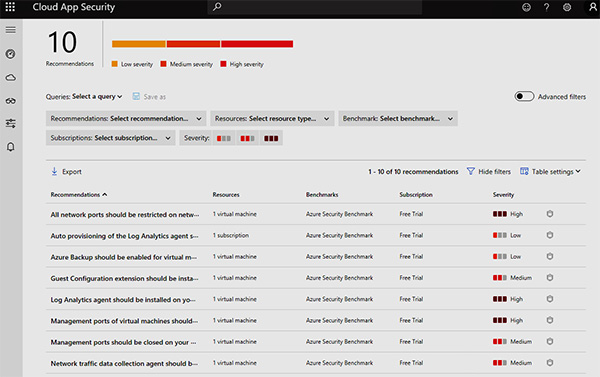
2.15 Microsoft Cloud Application Security
2.15.1 The Cloud App Security framework
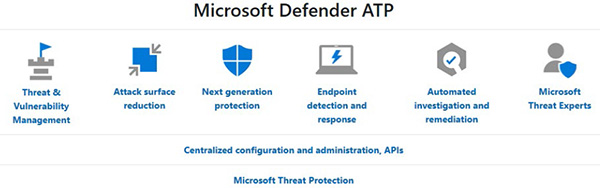
2.16 Microsoft Defender for Endpoint
2.17 Microsoft Defender for Identity
2.17.1 Why use Microsoft Defender for Identity?
2.17.2 Monitor and profile user behavior and activities
2.17.3 Protect user identities and reduce the attack surface
2.17.4 Identify suspicious activities and advanced attacks across the cyber-attack kill-chain
2.18 Secure Score
2.18.1 Introduction to Secure score
2.18.2 How secure score works
2.18.3 Secure score dashboard
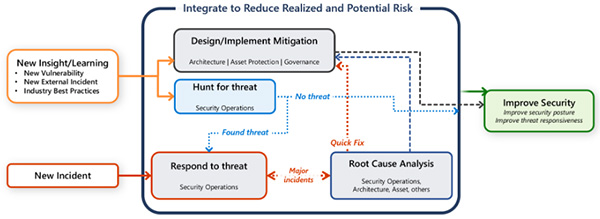
2.19 Improve your security posture
3. Threat Protection and Mitigation
3.1 Exchange Online Protection (EOP)
3.1.1 The anti-malware pipeline in Microsoft 365
3.2 Zero-hour auto purge (ZAP)
3.2.1 How ZAP works
3.2.2 Malware ZAP
3.2.3 Phish ZAP
3.3 Phishing and spoofing protection
3.3.1 Sender Policy Framework
3.3.2 Setting up SPF records for your domain
3.3.3 Domain Keys Identified Mail
3.3.4 Domain-based Messaging and Reporting Compliance
3.3.5 Spoof intelligence
3.4 Microsoft Defender for Office 365
3.4.1 Microsoft Defender for Office 365 expands on Exchange Online Protection
3.4.2 Safe Attachments
3.4.3 Safe Links
3.4.4 URL detonation
3.5 Microsoft Defender for Identity
3.5.1 Configure Microsoft Defender for Identity
3.5.2 Generate Microsoft Defender for Identity reports
3.6 Transport Rules
3.7 Using Message Disclaimer in Transport Rules
3.8 Implementing Ethical Wall by using Exchange Mail Flow Rule
4. Regular Expression Language
4.1 Introduction to Regular Expression and the ABCs
4.2 The 123s
4.3 The Dot
4.4 Matching specific characters
4.5 Excluding specific characters
4.6 Character ranges
4.7 Catching Repetitions
4.8 Characters optional
4.9 All this whitespace
4.10 Starting and ending
4.11 Match groups
4.12 Nested groups
4.13 More group work
4.14 Conditional OR
4.15 Other special characters
4.16 Matching decimal numbers
4.17 Matching phone numbers
4.18 Matching email address
4.19 Matching HTML
4.20 Matching specific filenames
4.21 Trimming whitespace from start and end of line
4.22 Extracting information from a log file
5. Data Loss Prevention
5.1 DLP for Enterprise Applications, Devices and Inline web traffic
5.1.1 Enterprise applications & devices
5.1.2 Inline web traffic
5.2 To create a DLP Policy from template to prevent disclosure of U.S. Social Security Number
5.3 More about Data Loss Prevention in depth
5.4 Creating a DLP Policy from 40+ Available Templates
6. Endpoint DLP
6.1 Onboarding Devices to Endpoint DLP via Intune
6.1.1 Prerequisites and Service Connection
6.1.2 Configuration Steps for Windows and macOS
6.1.3 Security Management for Microsoft Defender for Endpoint
6.2 Enable Microsoft Defender for Endpoint in Intune
6.3 Onboarding Windows Devices
6.4 Configure global Endpoint DLP settings
6.5 View Data Loss Prevention reports
6.5.1 Moreabout Reports
7. Data Lifecycle Management
7.1 An Introduction to Data Lifecycle Management
7.2 Retention policy precedence
7.3 Configure retention labels
7.4 Configure manual retention label policies
7.5 Configure auto-apply retention label policies
7.6 Import data for Data Lifecycle Management
7.7 Manage, monitor, and remediate Data Lifecycle Management
8. Records Management
8.1 An Introduction and Overview to Records Management
8.1.1 File plan
8.1.2 Record versioning
8.1.3 Customer scenarios
8.2 Import a file plan
8.3 What is a Regulatory Record
8.4 Configuring Retention Labels for Record Management
8.5 Preservation Lock
8.6 Event-Driven Retention
8.7 Managing Disposition of Data
8.7.1 Viewing Disposed Content
8.7.2 Disposition reviews
8.7.3 Configure a retention label (in a File Plan) for disposition review
8.7.4 Viewing and disposing of content
9. Communication Compliance
9.1 An Overview to Communication Compliance policies
9.2 Configuring an Offensive Language policy
9.2.1 The Case
9.2.2 Planning for communication compliance
9.2.3 Accessing Microsoft Purview Communication Compliance
9.2.4 Configuring prerequisites and creating a communication compliance policy
9.3 Creating the policy to monitor for offensive language
9.4 Investigate and remediate alerts
9.5 Deciding the remediation action on policy match
9.5.1 Resolve
9.5.2 Power Automate
9.5.3 Tag as
9.5.4 Notify
9.5.5 Escalate
9.5.6 Escalate for investigation
9.5.7 Remove message in Teams
9.6 Communication Compliance Reports
9.7 Detecting Generative AI Interactions
10. Insider Risk Management
10.1 Introduction to Insider Risk Management
10.2 Risk Pain Points in the Modern Workplace
10.3 Common insider risk scenarios
10.4 Insider risk management workflow
10.5 Concepts of Insider Risk Policies
10.5.1 Components of a policy
10.5.2 Policy dashboard
10.5.3 Policy templates
10.5.4 Insider Risk Management General settings
10.5.5 Policy Indicators
10.5.6 Policy timeframes
10.5.7 Intelligent detections
10.6 Create and manage insider risk policies
10.6.1 Required roles or permissions to manage Insider Risk Policies
10.6.2 Potential dependencies
10.7 Investigate insider risk alerts
10.7.1 Alert dashboard
10.7.2 Alert status and severity
10.7.3 User activity reports
10.8 Take action on insider risk alerts through cases
10.8.1 Case overview
10.8.2 Case dashboard
10.8.3 User activity
10.8.4 Content explorer
10.8.5 Case actions
10.8.6 Insider risk management notice templates
10.9 Insider Risk Management Forensic Evidence
10.9.1 Introduction to insider risk management forensic evidence
10.9.2 Capturing options and workflow
10.9.3 Configure and Manage Forensic Evidence
10.9.4 Viewing captured clips
10.9.5 Alerts dashboard
11. Microsoft 365 Encryption
11.1 Introduction to Microsoft 365 encryption
11.2 How Microsoft 365 data is encrypted at rest
11.2.1 BitLocker volume level encryption
11.2.2 Service level encryption
11.3 Service encryption in Microsoft Purview
11.4 Customer Key Management using Customer Key
11.5 How data is encrypted in-transit
12. Microsoft Purview Message Encryption
12.1 Implement Microsoft Purview Message Encryption
12.1.1 Verify information rights management functionality
12.1.2 OME branding templates
12.2 Microsoft Purview Advanced Message Encryption
12.3 Microsoft Purview Message Encryption templates in mail flow rules
13. Microsoft Purview Information Protection
13.1 About Senstivity Label and Sensitive Information Type
13.2 Configure sensitivity labels
13.3 Configure sensitivity label policies
13.4 Auto-labeling policies of Sensitive Data
13.5 Manage, monitor, and remediate information protection
14. Data Security Posture Management (DSPM)
14.1 DSPM Overview
14.2 Data security objectives
14.3 How AI helps achieve data security outcomes
14.4 How to use Data Security Posture Management
14.5 Setup tasks for Data Security Posture Management
15. Data Security Posture Management for AI
15.1 DSPM for AI Overview
15.2 Using DSPM for AI
15.3 Security Copilot Integration in Microsoft Purview
|














 繳付學費,過程簡便!